Once you have a Rakuten account, applying for Rakuten Mobile takes about 10 minutes. Follow each screenshot below — every field is annotated in English.
⏱ Time required: About 10 minutes
📋 What you need: Rakuten account, Residence Card (在留カード), credit card
Last verified: August 7, 2026. The application flow may change. Always check the official Rakuten Mobile site for the most current process.
Don’t have a Rakuten account yet? Create one first →
· MNP transfer: up to 13,000 points · New number: up to 10,000 points
· Points are awarded later after eligibility is confirmed. Paid in instalments; 6-month validity per instalment.
· You should log in through the referral link before applying. Check the latest official terms for the eligible login period.
Verify current terms at the official Rakuten Mobile campaign page.
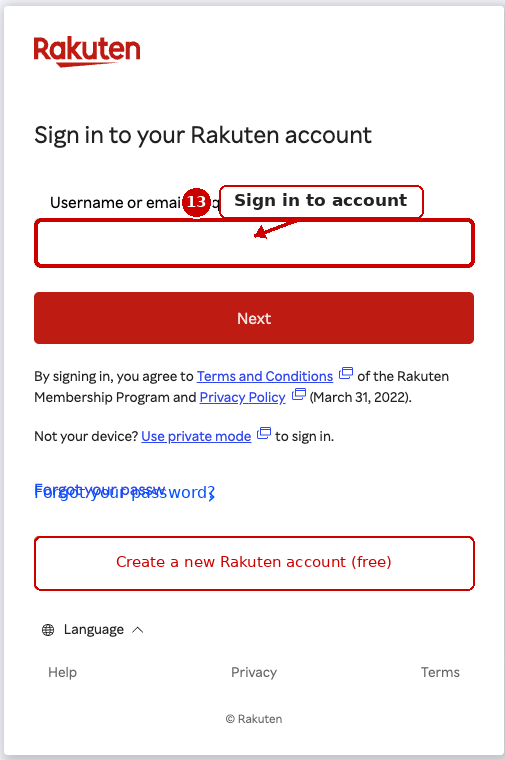
Step 1: Sign in to your Rakuten account
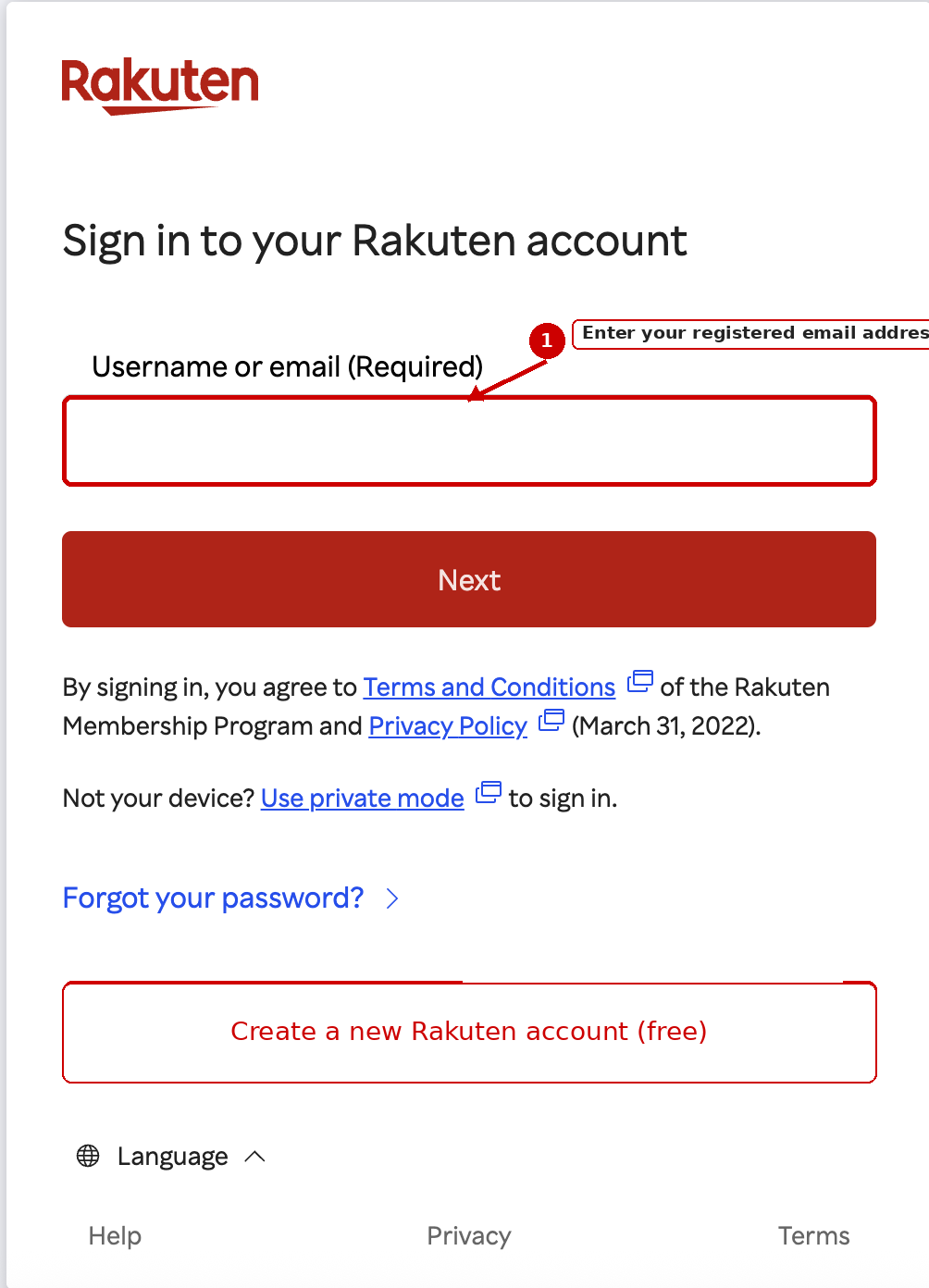
Click the button above to open the Rakuten Mobile application page.
- Enter your Rakuten account email address
- Click “Next”
Step 2: Enter your password
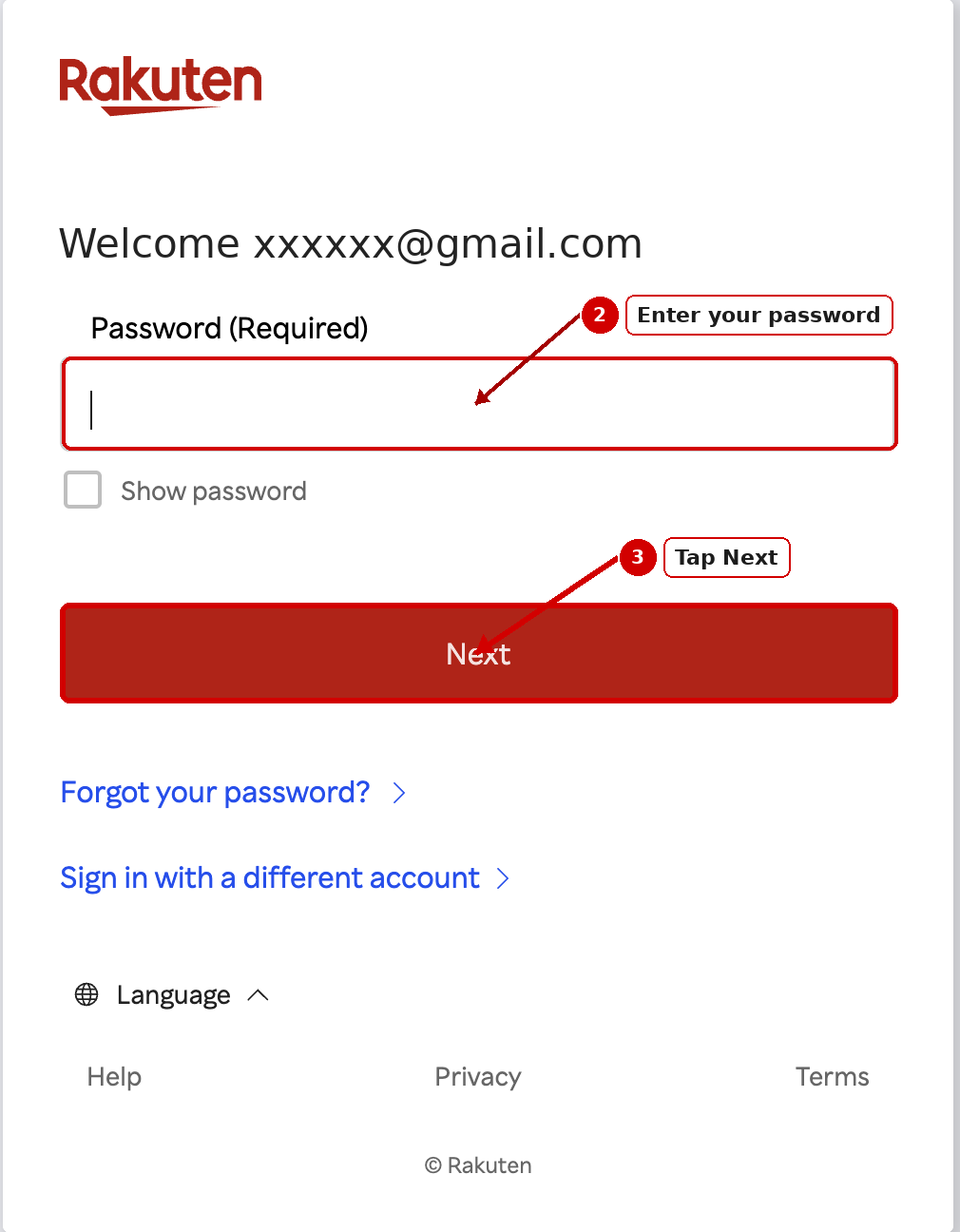
- Enter your password
- Click “Sign in”
💡 This is your regular Rakuten account login.
Step 3: Switch the page to English
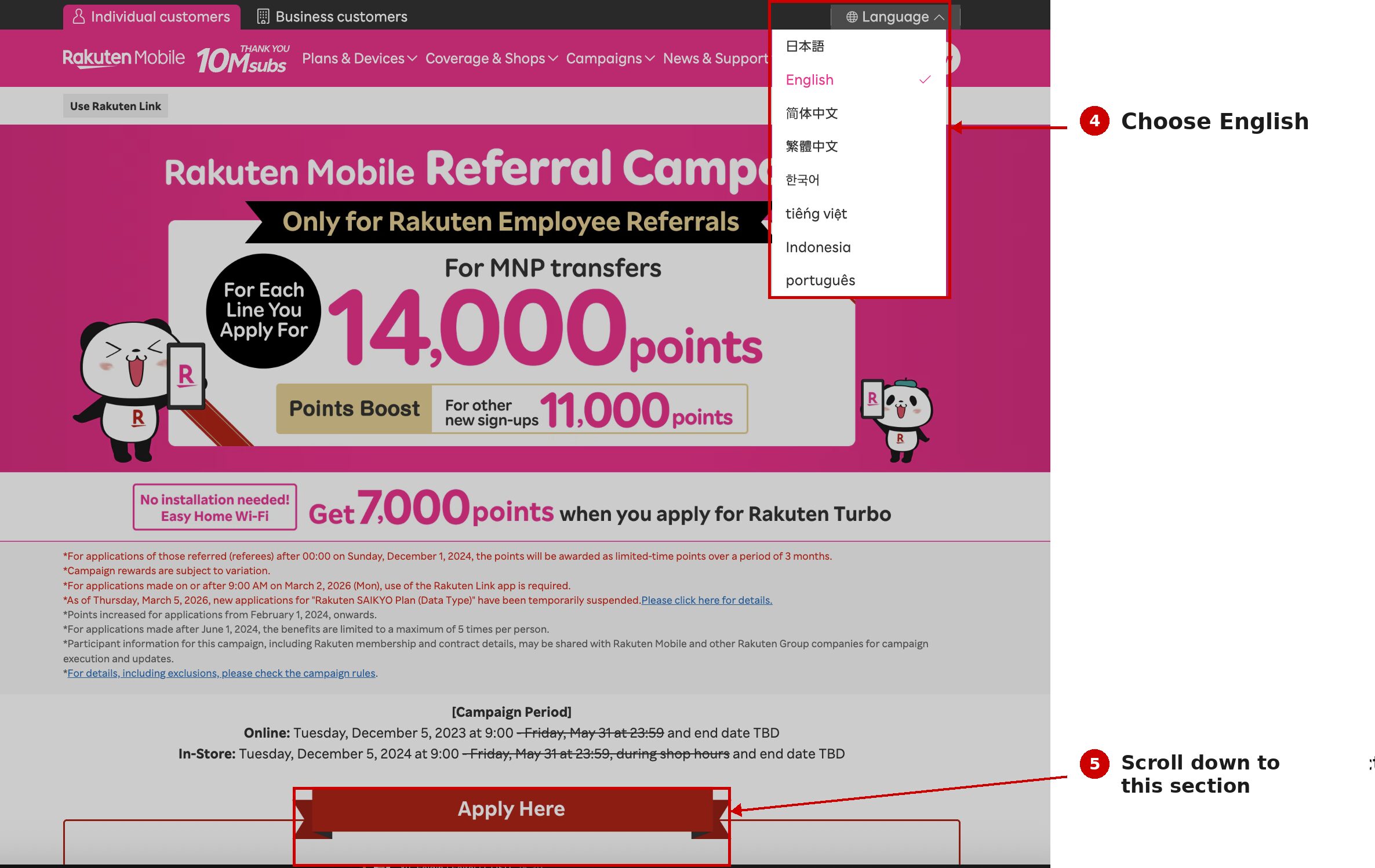
The application page appears in Japanese by default. To switch:
- Look for the language toggle at the top of the page
- Select “English”
Step 4: Click “Apply Now”
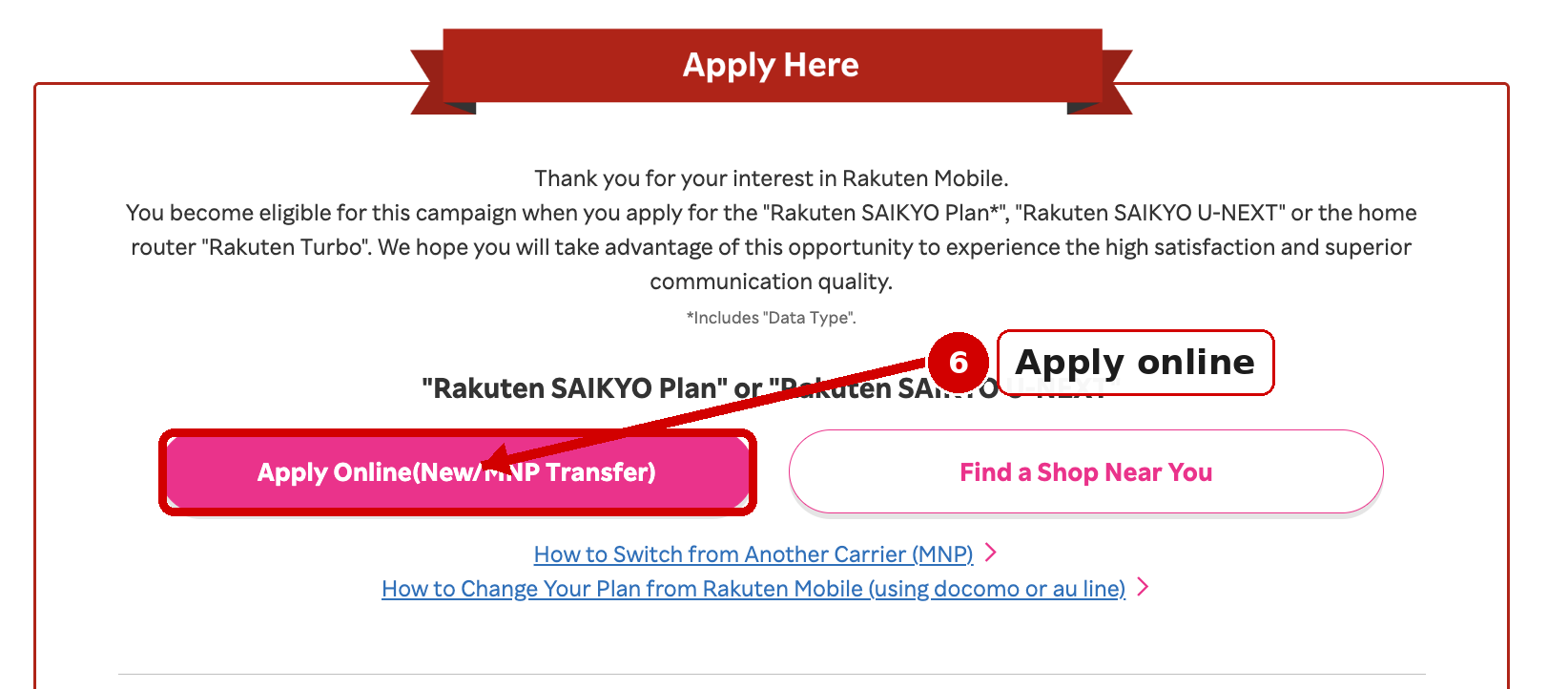
- Click “Apply Now” (or “お申し込み” if still in Japanese)
Step 5: Select your plan
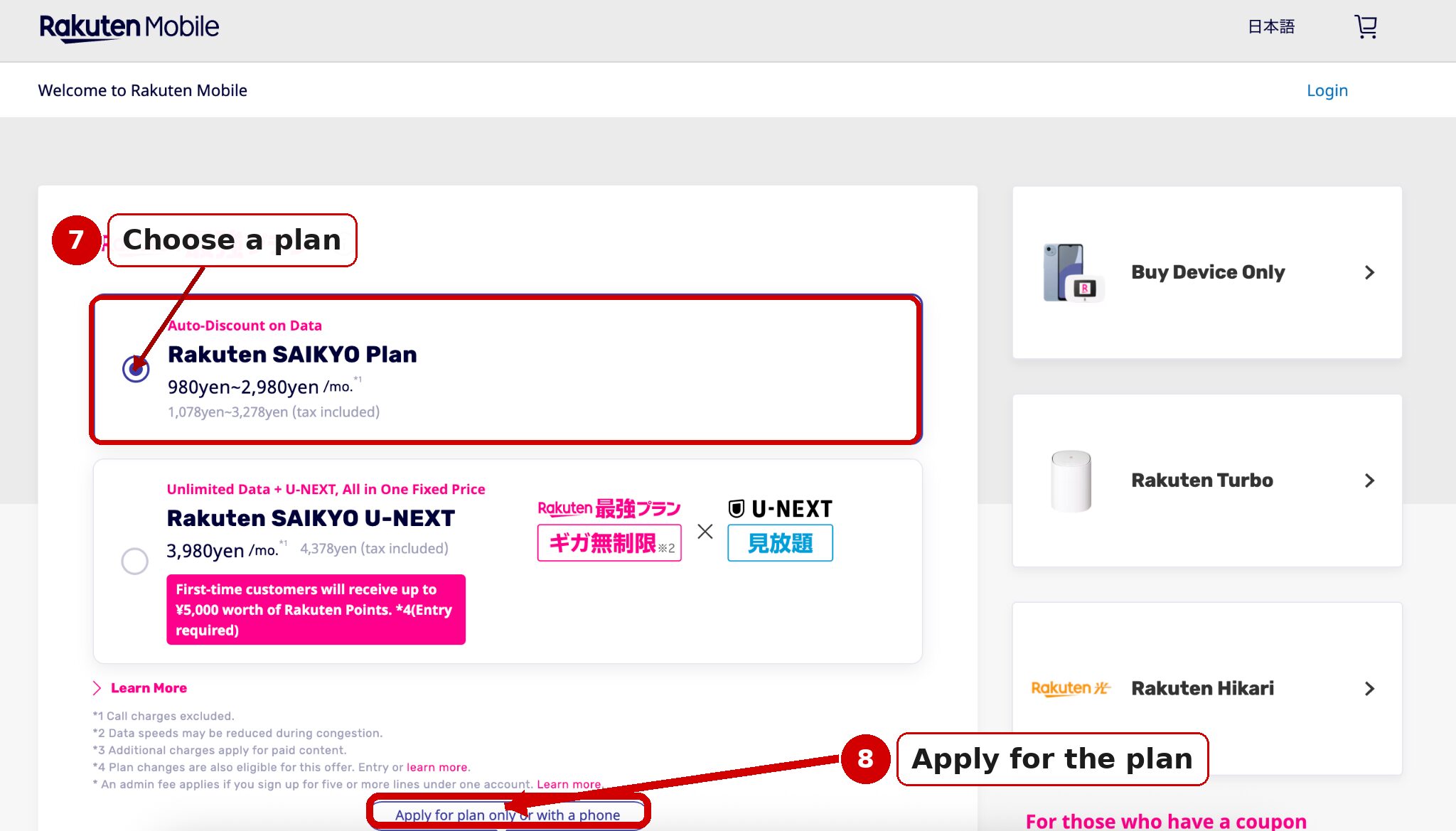
The current plan is the Rakuten 最強プラン (Rakuten Saikyo Plan).
Standard prices (税込, tax included):
- Under 3GB: ¥1,078/month
- 3GB–20GB: ¥2,178/month
- Over 20GB: ¥3,278/month
With Saikyo Family Discount (2+ lines): ¥968 / ¥2,068 / ¥3,168.
No minimum contract period. You pay the tier matching your actual monthly data use.
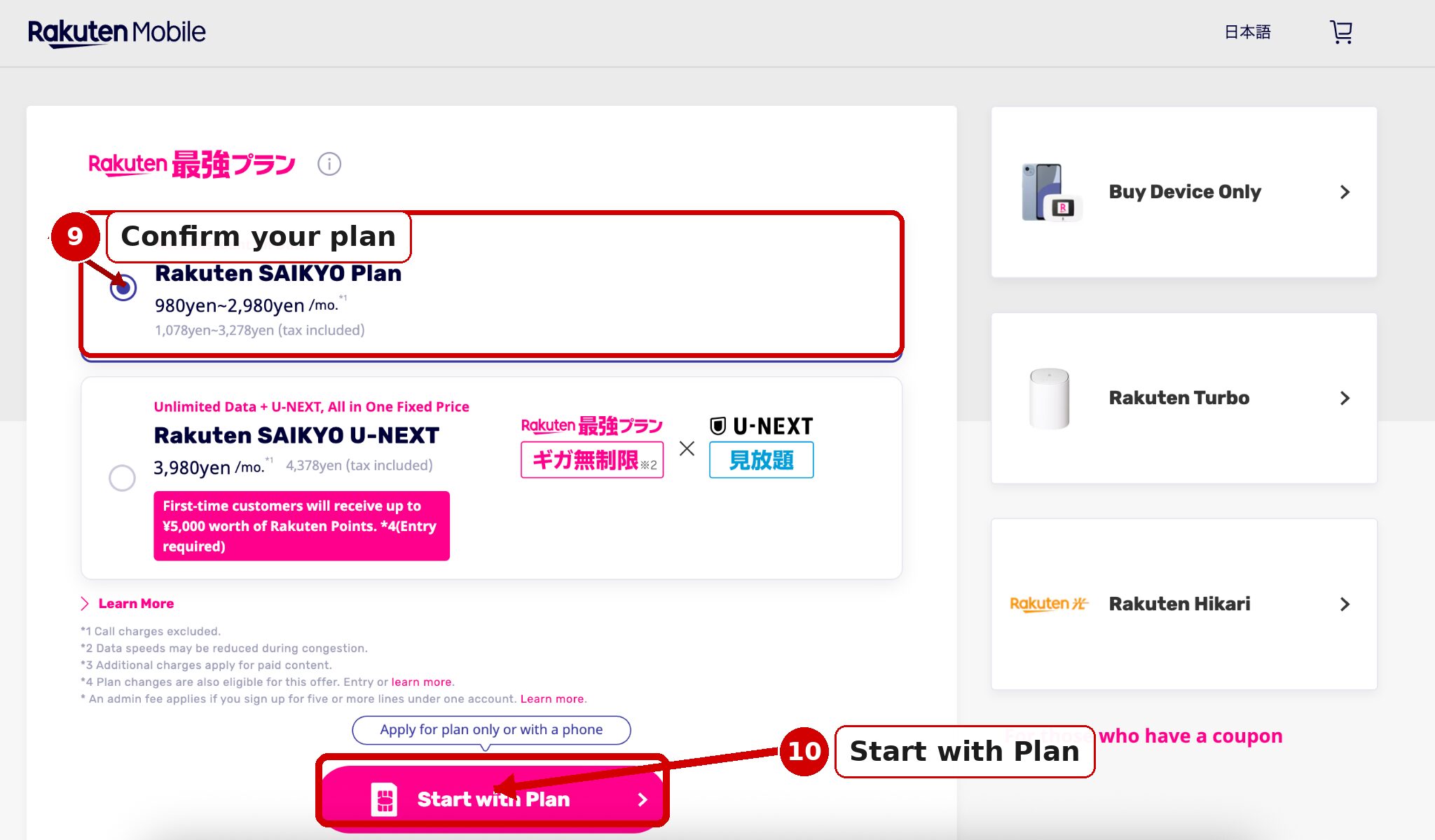
Select the plan and click “Next”.
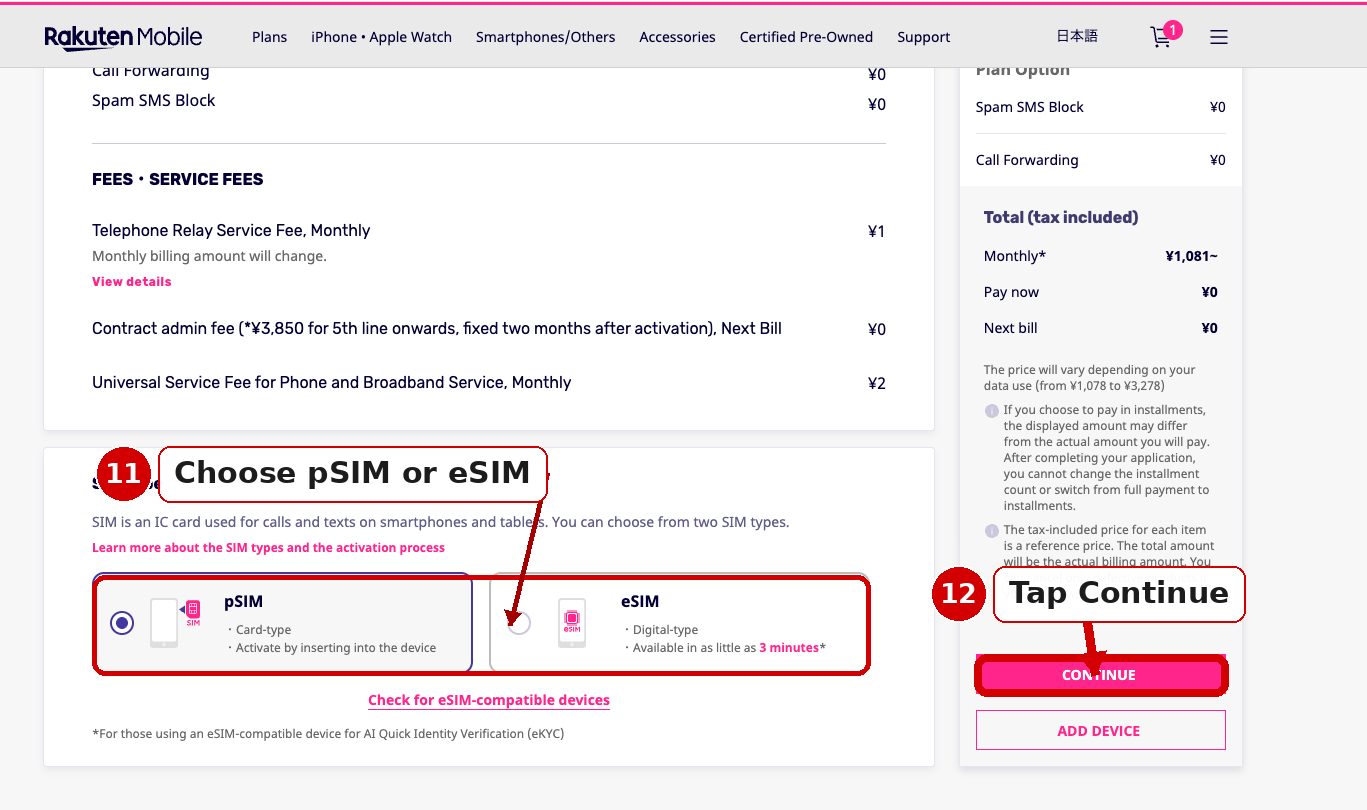
Step 6: Choose SIM type
- Physical SIM — arrives by mail in approximately 3–5 business days. Works with any unlocked phone.
- eSIM — activated via QR code. Requires a compatible device.
Step 7: Enter your personal information
- Enter your name — same spelling as on your Residence Card
- Enter your date of birth, gender, nationality
Step 8: Enter your address in Japan
- Enter your postal code (〒) — address fields auto-fill
- Confirm prefecture and city, then enter street address
💡 Use the address exactly as it appears on your Residence Card.
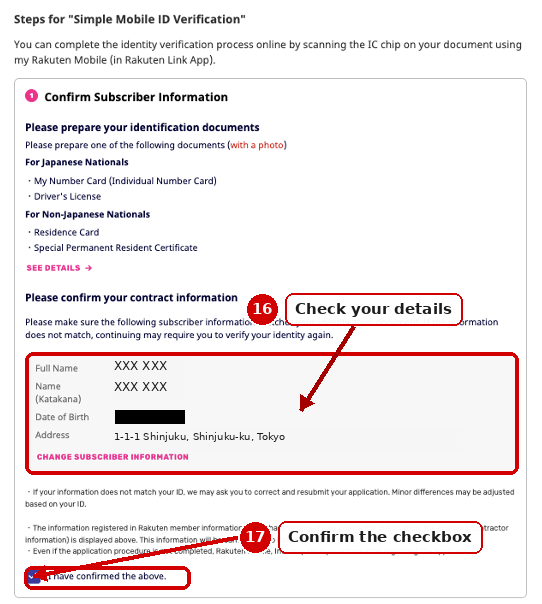
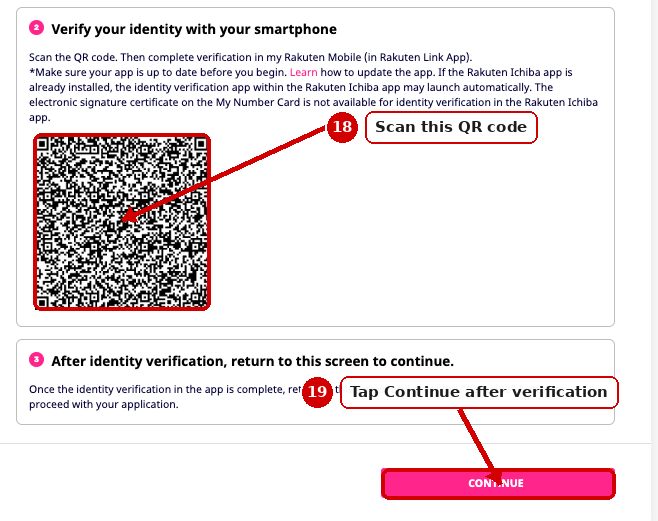
Step 9: Verify your identity with your Residence Card
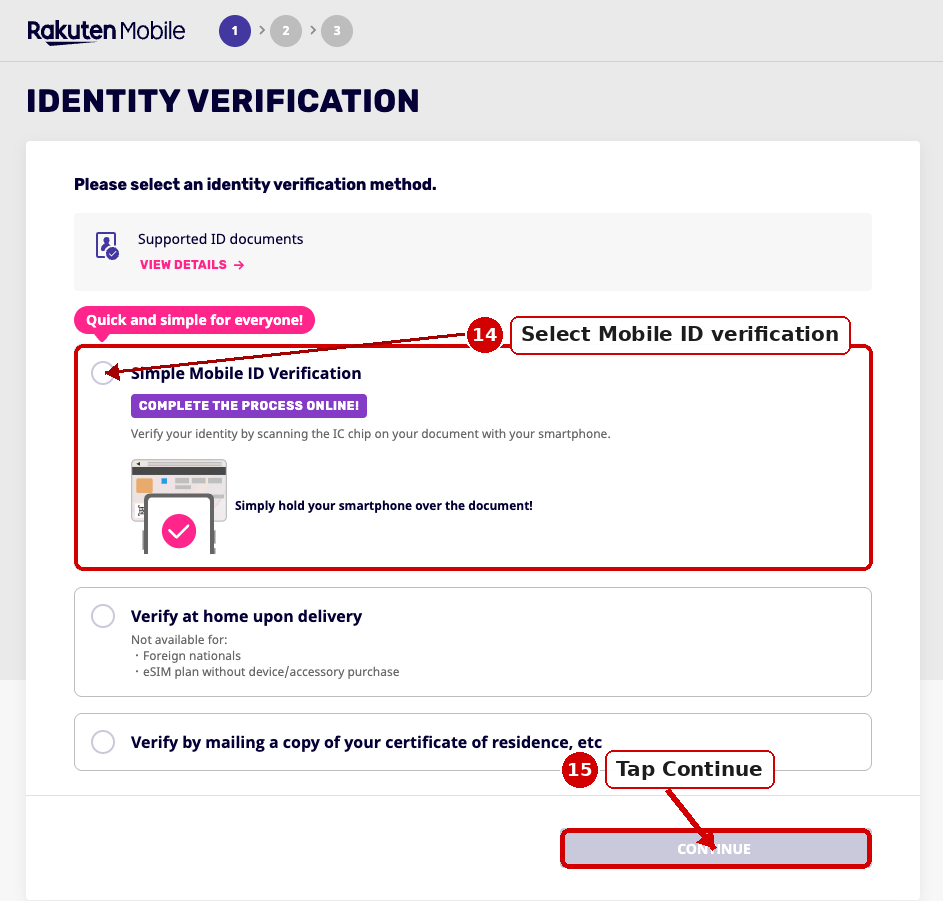
Rakuten Mobile uses online identity verification (eKYC). Options may include:
- Photo upload: Front and back of your Residence Card.
- IC chip verification: If your Residence Card has an IC chip and your phone supports NFC.
Step 10: Enter your credit card details
- Enter card number, expiry date, CVV, cardholder name
✅ Visa and Mastercard (including foreign-issued cards) accepted.
Step 11: Review, agree and submit
Review all your information, then agree to Terms and Conditions and submit.
What happens next?
- Physical SIM: Arrives in approximately 3–5 business days
- eSIM: QR code issued — check Rakuten Mobile My Page for status
Ready to apply?
Rakuten 最強プラン — from ¥1,078/month standard (tax included), no contract. Foreigners welcome.
Get Up to 13,000 Rakuten Points & Apply (MNP) →
Rakuten Mobile employee referral campaign link. MNP: up to 13,000 pts · New number: up to 10,000 pts. Points awarded later; paid in instalments; 6-month validity. The referrer may also receive referral benefits. Verify current terms at the official Rakuten Mobile campaign page.