Before you can apply for Rakuten Mobile, you need a free Rakuten account. The registration process is fully in English and takes about 3 minutes. Follow the screenshots below.
⏱ Time required: About 3 minutes
📋 What you need: An email address and a password
Step 1: Enter your email address
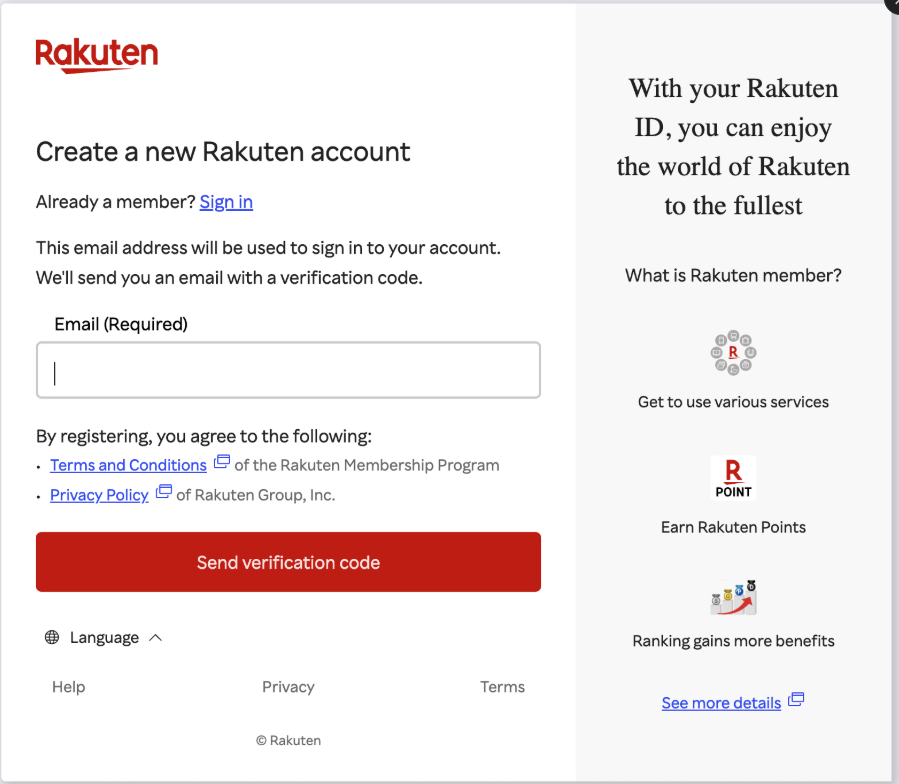
- Go to the Rakuten registration page
- Enter your email address in the field
- Click “Send verification code”
💡 Any email address works — Gmail, Yahoo, or your work email.
Step 2: Verify your email address
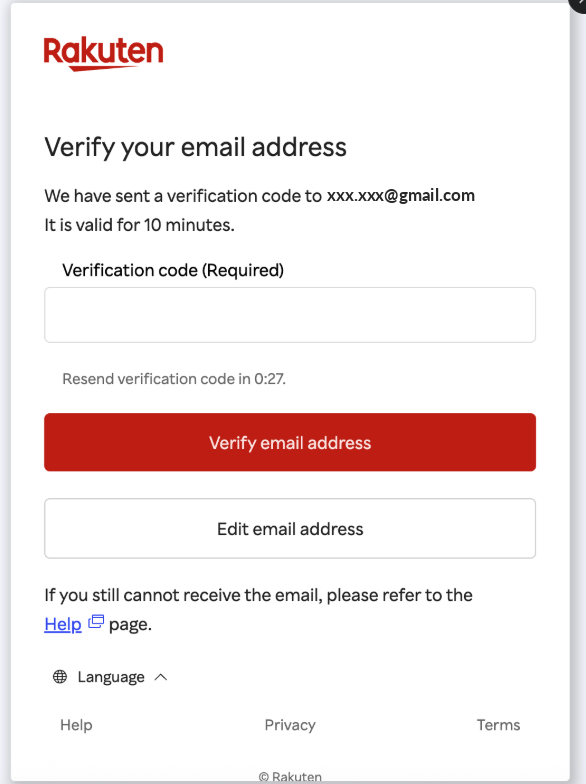
- Check your inbox for an email from Rakuten
- Copy the verification code from the email
- Paste it into the field and click “Verify email address”
💡 The code is valid for 10 minutes. If you don’t see the email, check your spam folder.
Step 3: Set your username and password
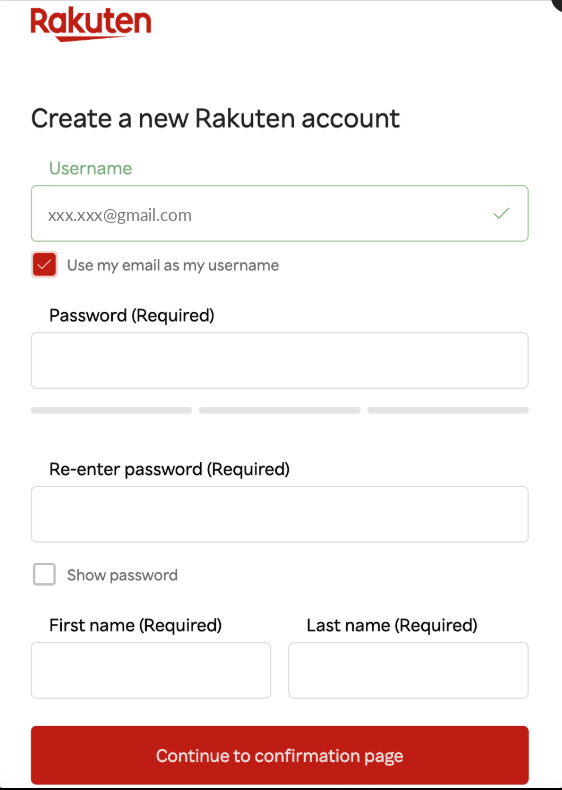
- Your email is pre-filled as your username — you can keep it as is (recommended: tick “Use my email as my username”)
- Enter a password — must be at least medium strength
- Re-enter your password to confirm
- Enter your first name and last name in English
- Click “Continue to confirmation page”
Step 4: Password tips
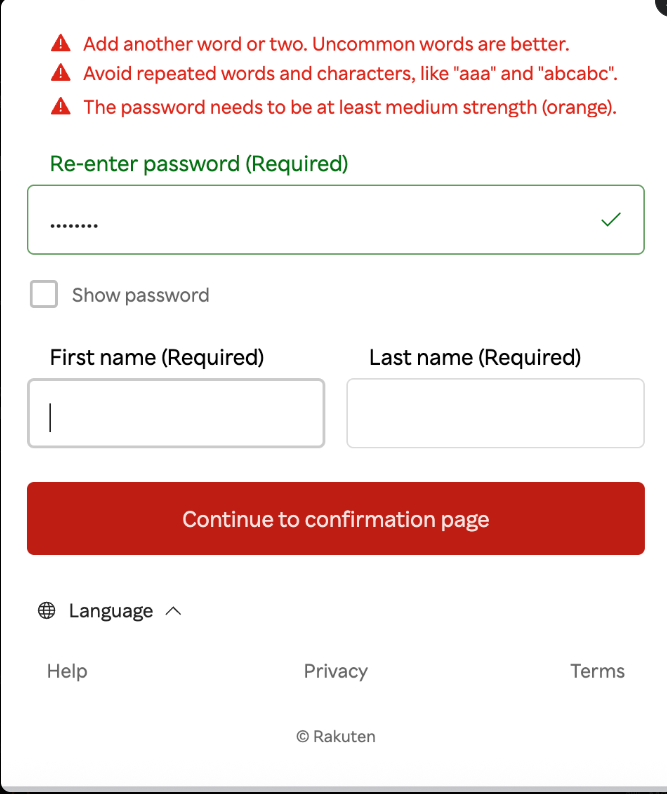
Rakuten requires a password of at least medium strength. Here’s what to avoid:
- ❌ Single words (e.g. “password”)
- ❌ Repeated characters (e.g. “aaa”, “abcabc”)
- ❌ Short passwords under 8 characters
✅ Good example: A mix of letters, numbers and symbols — e.g. Japan2026!
Step 5: Confirm and complete registration
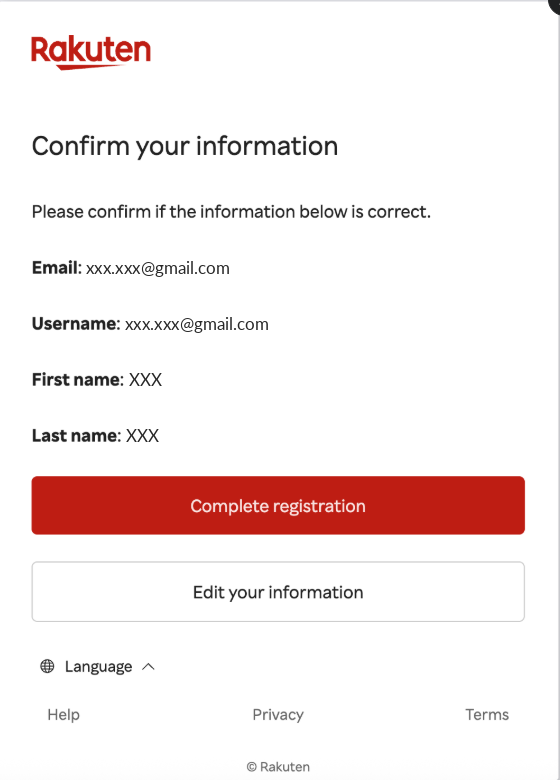
- Review your information — email, username, and name
- If everything looks correct, click “Complete registration”
- If you need to make changes, click “Edit your information”
🎉 Your Rakuten account is now created! You’re ready for the next step.
✅ Account created — now apply for Rakuten Mobile
With your Rakuten account ready, you can now sign up for Rakuten Mobile in about 10 minutes.